Figma
Mural
2023
Bridging Usability and Detail: Elevating UX for Scientific Ecommerce
Duration
5 months
My Role
Associate UX Designer
Team
UX Director, Senior UX Designer
Project Overview
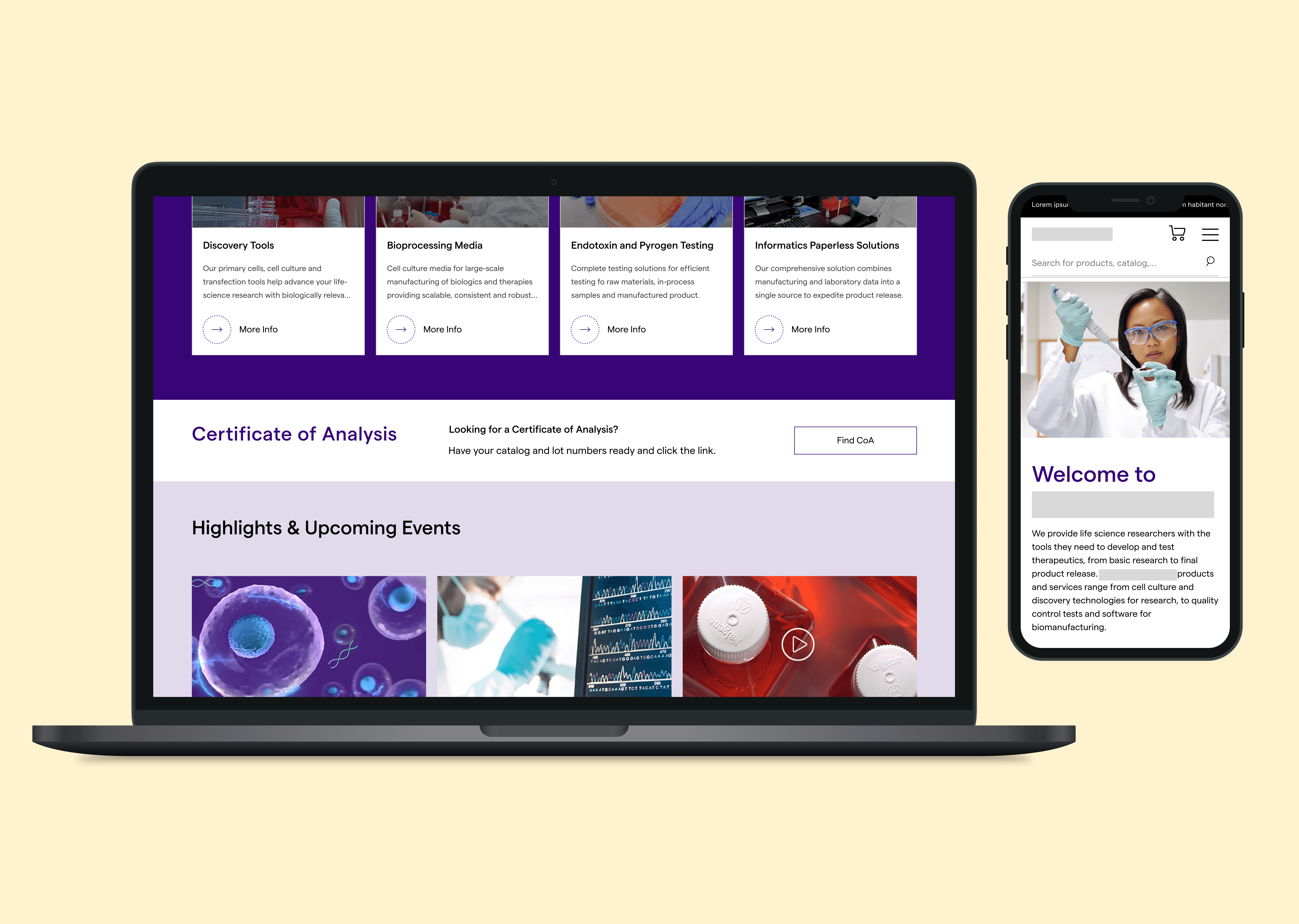
As part of a three-person UX design team, I worked on a comprehensive redesign of a website for one of the world's largest healthcare manufacturing organizations. Specifically, updating their Bioscience division to reflect the main website's updated branding and improve key user flows. The website serves a highly specialized audience of scientists and pharmaceutical professionals, so our focus was on making dense, technical content more accessible while streamlining the experience across desktop and mobile.
The Challenge
This company’s users aren’t your typical e-commerce shoppers. They require detailed product specifications, downloadable documentation, and the ability to search by exact catalog numbers. The challenge was to present all this data in a way that was organized, easy to scan, and aligned with modern usability standards, all without overwhelming the user.
My Role
I collaborated closely with a Senior UX Designer, and together we owned the entire design process from strategy to high-fidelity mockups. I also stepped into a lead role during client meetings when the Senior Designer was unavailable, presenting progress and gathering feedback. I worked primarily in Figma for design and Mural for collaborative mapping and presentation. Approved designs were organized into a shared client-facing Figma folder for easy access and version control.
Research
Since the foundational research had already been completed by another team, my focus was on translating those insights into design rather than conducting primary research of my own. I supplemented this by auditing competitor and best-in-class websites to identify relevant UX patterns and industry standards to draw from. However, this was a project where external research only went so far. The client brought deep industry knowledge about their buyers that no amount of website analysis could replicate, and leaning into that expertise became just as important as any benchmark I found on my own.
Design Process
We met weekly with stakeholders to review designs, gather feedback, and align priorities. I led client calls when the Senior UX Designer was unavailable and ensured all final designs were organized in a shared Figma folder for easy access and handoff. We also incorporated feedback from employees and internal experts who use the site regularly, which helped validate design decisions and shape user priorities.
The following is a look into how the design came together across each phase of the project.
Wireframes
Initial concepts were built out in low-fidelity to establish structure, layout, and user flow before any visual design decisions were made.
Mural Presentations and Collaborative Work Sessions
Wireframes and early concepts were presented to the client through Mural, where stakeholders could review, annotate, and shape direction together in real time rather than waiting on asynchronous feedback.
Design Iterations
Client feedback was incorporated across multiple rounds, refining layouts, hierarchy, and content decisions until the direction was locked.
Final Design
Polished high-fidelity designs were delivered reflecting the full evolution of the project, from initial structure through to a client-ready experience.
Drop Schedule
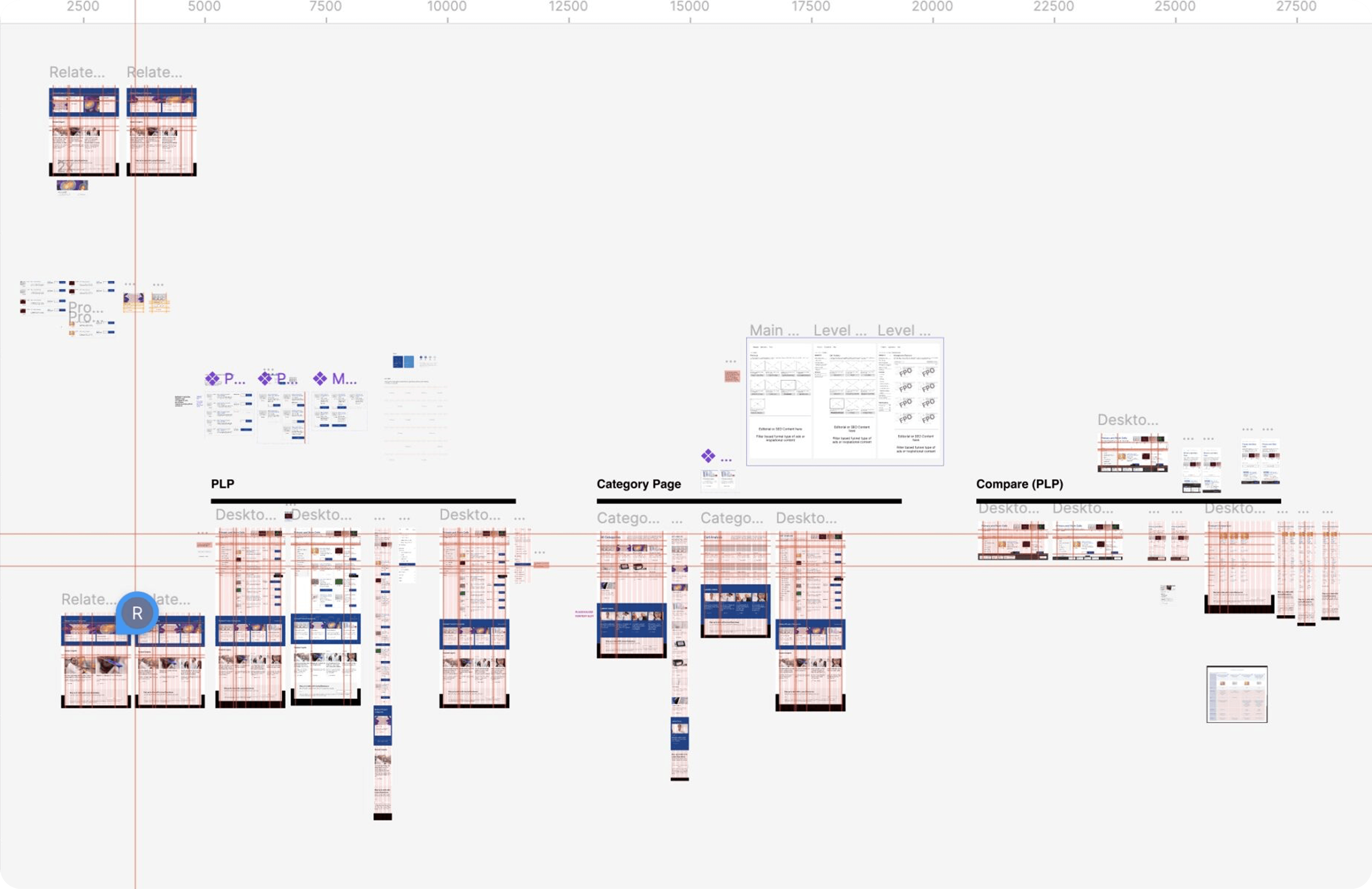
We divided the work into six “drops,” each covering a specific section of the site. Each drop followed a 3–4 week cycle that included wireframing, stakeholder reviews, design iterations, and hi-fidelity mockups.
1
2
3
4
5
6
Drop 1: Product List Page
The product card needed to show a large amount of information at a glance: image, title, description, catalog number, price, quantity selector, compare and favorite buttons, and an add-to-cart option.
Drop 2: Product Detail Page
We structured the PDP using tabbed sections to include product details, documentation, catalog-specific views, and related products. We emphasized quick access to technical documents and spec sheets, which were a top priority for users.
Drop 3: Cart & Checkout
We streamlined the add-to-cart and checkout process, ensuring that even with complex products and varying quantities, the experience remained intuitive on both desktop and mobile.
Drop 4: Self Service & My Account
Focused on giving users more control: order history, saved documents, favorite products, and reordering tools — all tailored to power users working in labs or research facilities.
Drop 5: Navigation, Homepage, & Search
With a vast catalog and multiple product categories, we designed a navigation system that balanced our client’s internal hierarchy with clear, intuitive paths for users. We also aligned our work with the overarching structure of their parent company’s site.
Drop 6: Email Notifications, Articles, & Favorites
We designed lightweight interfaces for personalized site content, enabling users to save and return to research articles, products, and documentation with ease.
The following captures the design across multiple phases of the project, from early wireframes through to final designs.
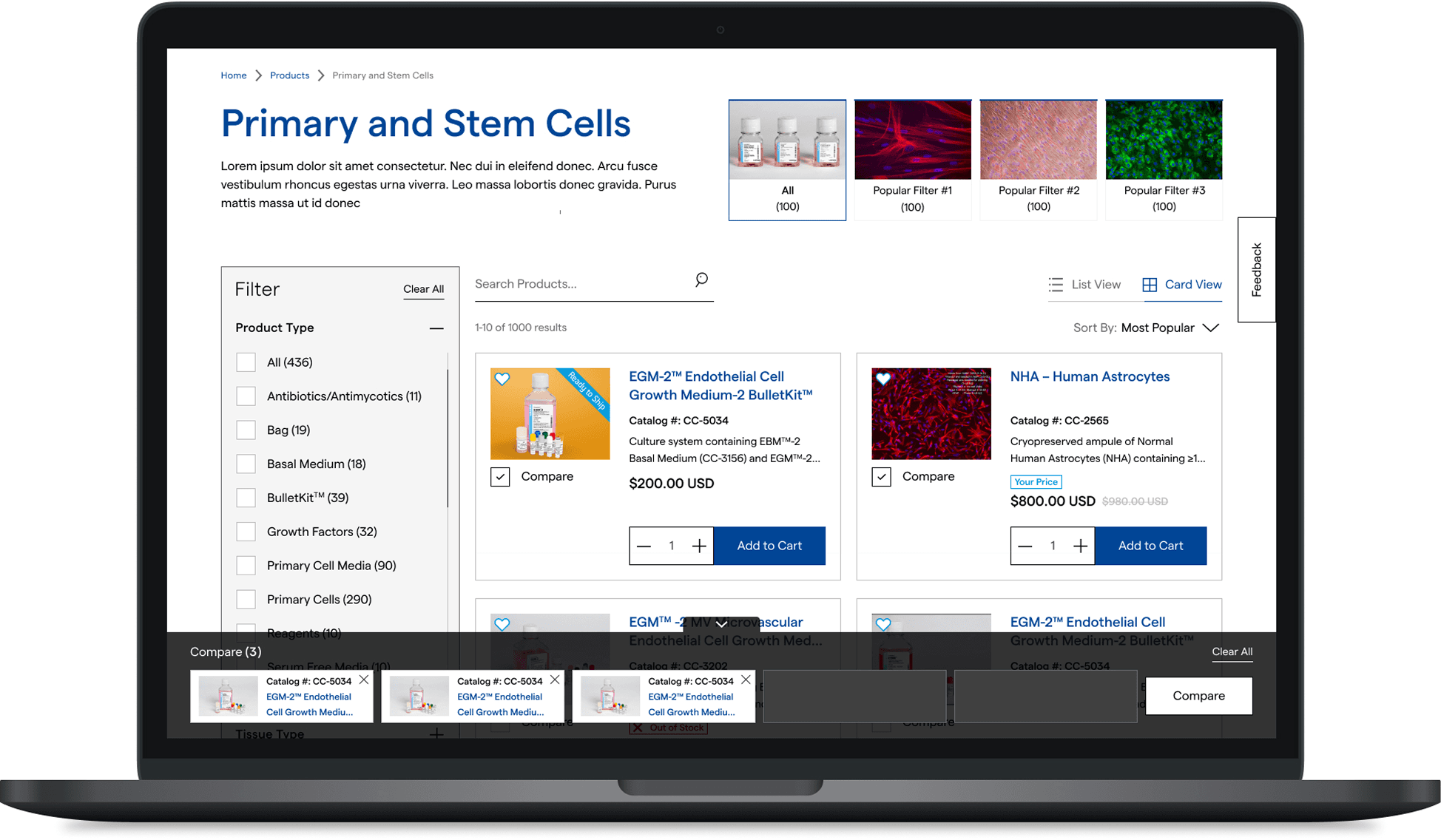
Minimized Compare List on PLP
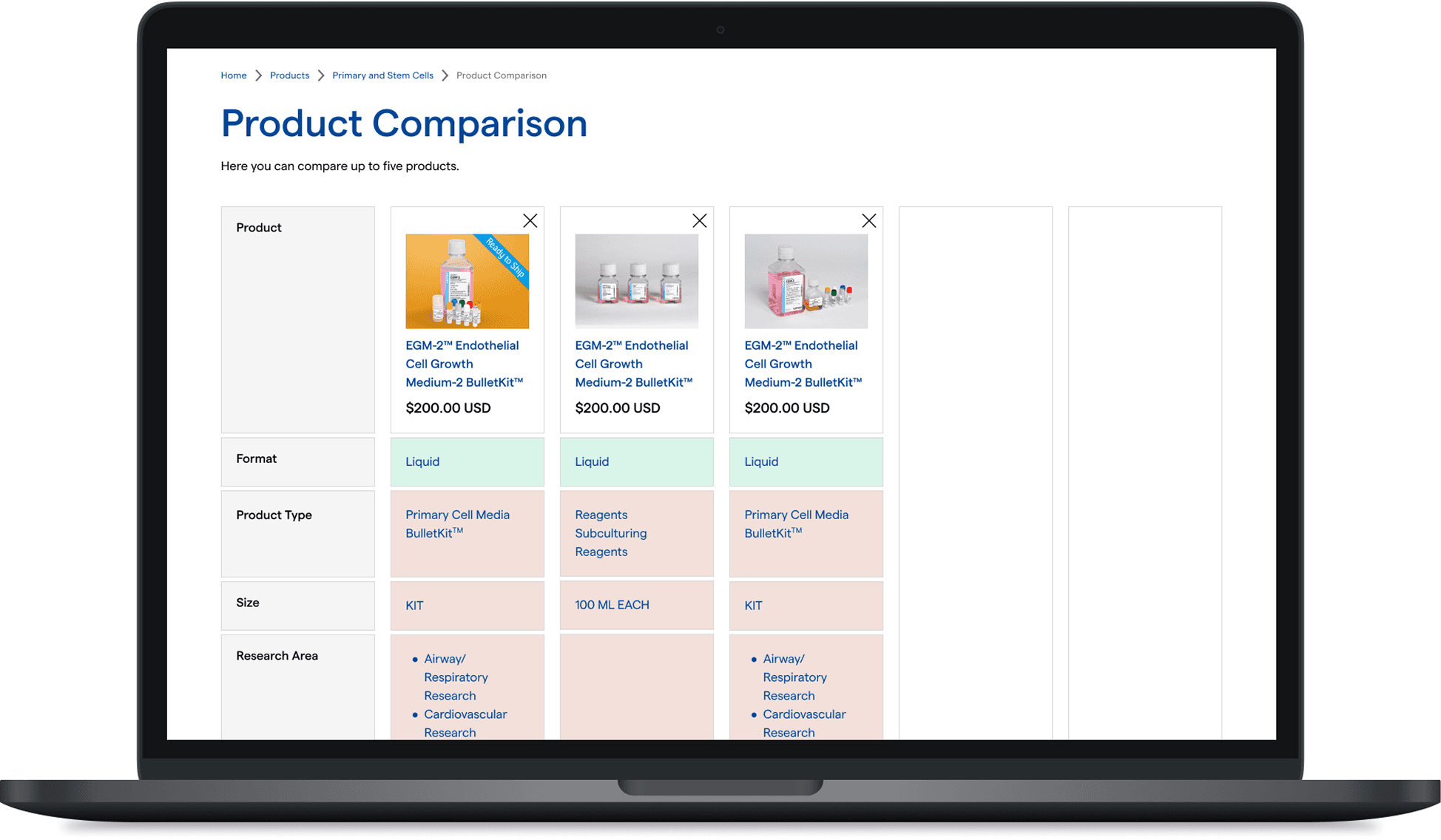
Compare Page
Drop 4 Phases
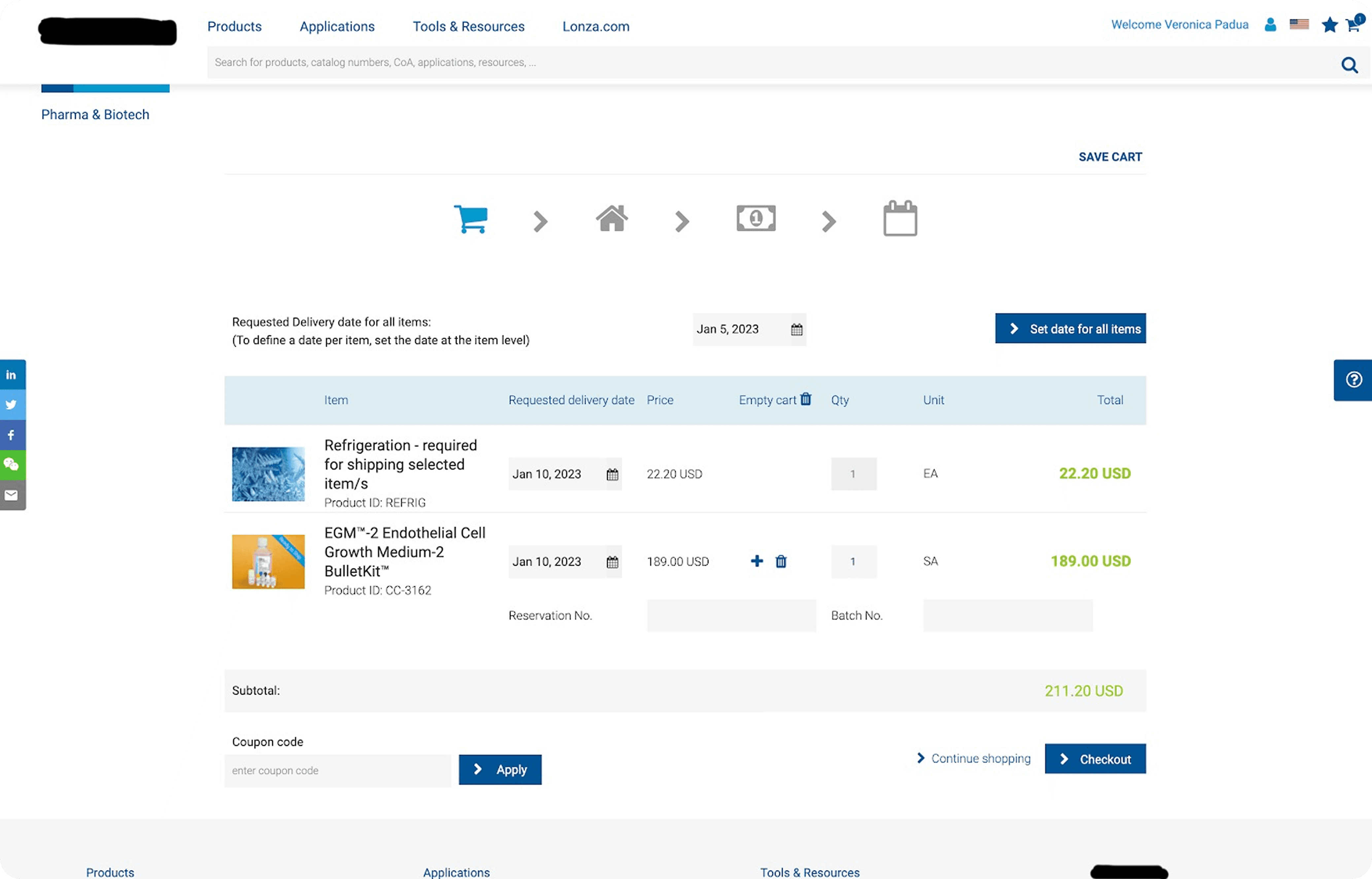
Previous Design
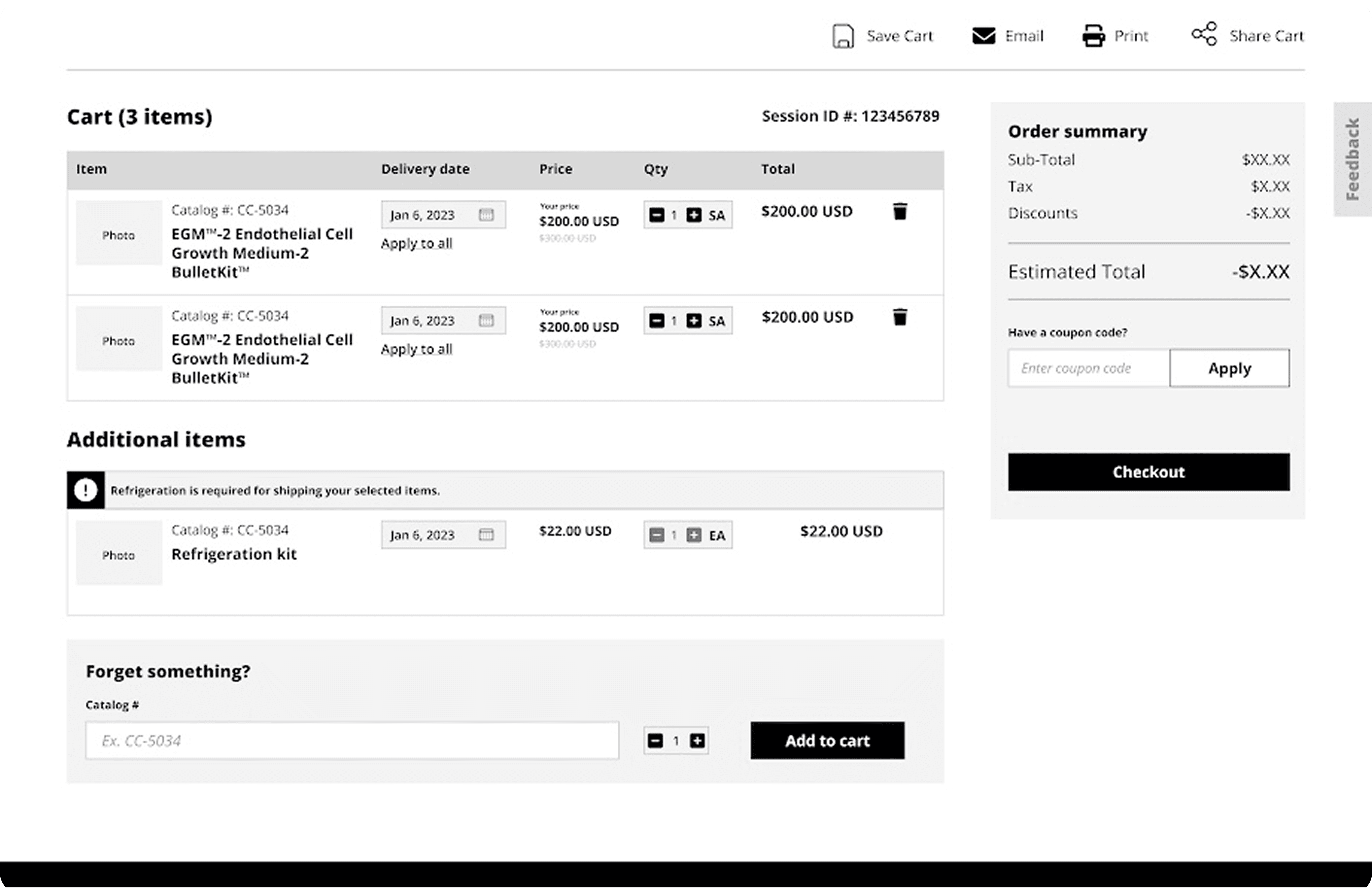
Wireframe
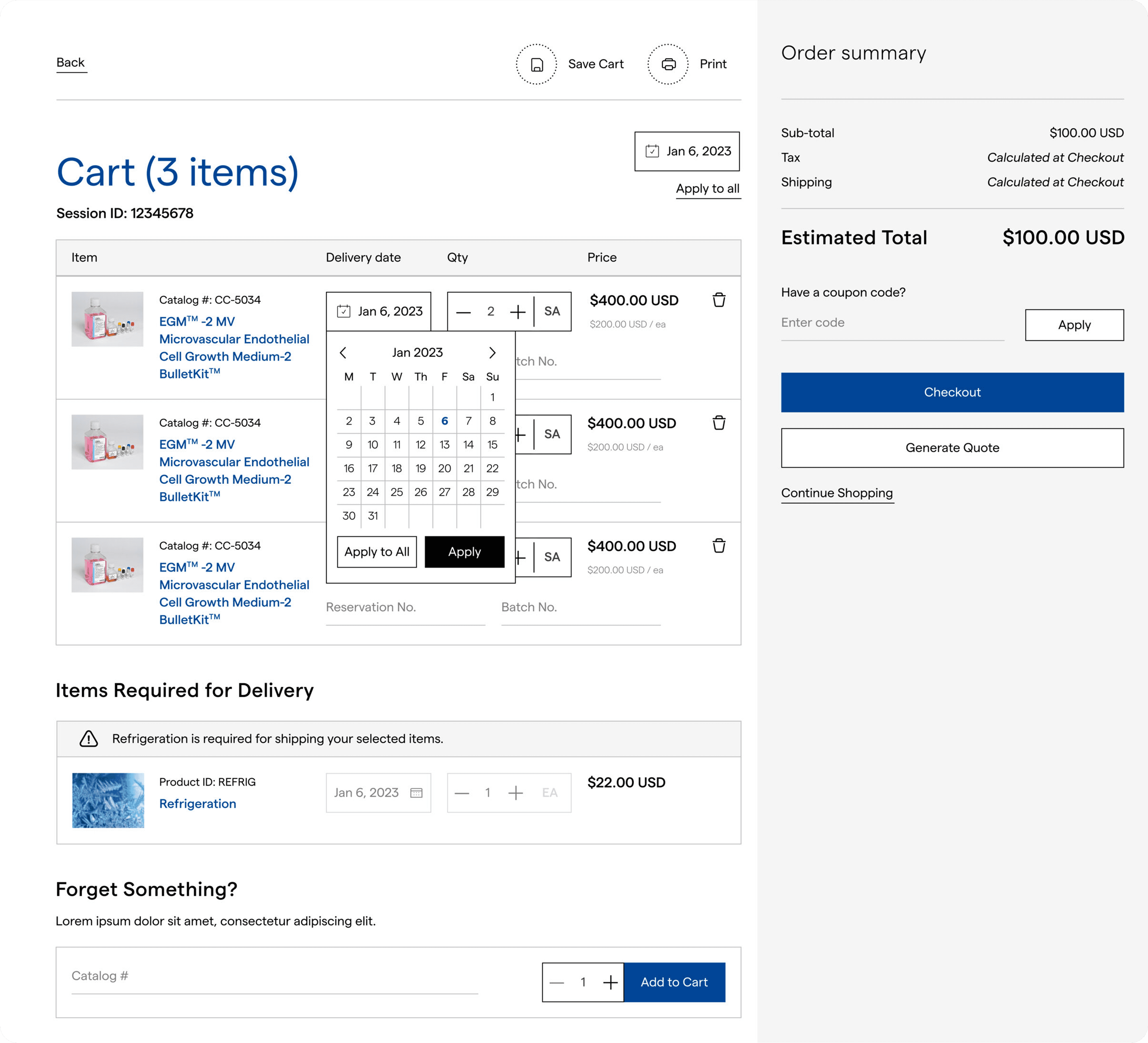
Hi-fidelity design for cart
Reflection
This project pushed me to think differently about what user-centered design means when the user is a specialist. It wasn't about simplifying their world, it was about respecting it while making it easier to navigate.
Key Takeaways
💡
Designing for specialists means setting aside assumptions. When user expectations don't match standard UX conventions, listening closely to how people actually work matters more than defaulting to best practice.
💡
Making high-density content feel manageable without stripping away necessary detail came down to structure. Modular layouts and progressive disclosure were what made complexity navigable rather than overwhelming.
💡
There were moments where our design instincts conflicted with client preferences, and more often than not, deferring to their knowledge of their users led to a stronger outcome. When a client knows their audience that well, that insight becomes part of the research.